Firewall 9.0 Essentials: Configuration and Management
Palo Alto Networks Firewall 9.0 Essentials: Configuration and Management
These labs will enhance the student’s understanding of how to configure and manage Palo Alto Networks® next-generation firewalls. The student will gain hands-on experience configuring, managing and monitoring a firewall in a lab environment.
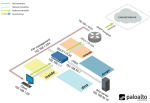
All NETLAB+ supported Palo Alto Networks Firewall 9.0 Essentials: Configuration and Management labs use the Pan 9 Pod.
Supported Labs
| Lab Number | Title |
|---|---|
| 1 | Initial Configuration |
| 2 | Interface Configuration |
| 3 | Security and NAT Policies |
| 4 | App-ID |
| 5A | Content-ID |
| 5B | Content-ID |
| 6 | URL Filtering |
| 7 | Decryption |
| 8 | WildFire |
| 9 | User-ID |
| 10 | GlobalProtect |
| 11 | Site-to-Site VPN |
| 12 | Monitoring and Reporting |
| 13 | Active/Passive High Availability |
| 14 | Capstone |
Enabling the Labs
- NETLAB+ VE:To enable the Firewall 9.0 Essentials: Configuration and Management labs, install the PAN9 FE course using the Course Manager. See the Course Manager section of the NETLAB+ VE Admin Guide for details.
Using the Labs
Always select the correct lab exercise for the lab being performed. Students or teams should schedule the correct lab exercise from the catalog. NETLAB+ will only show those labs for which the required pod type is available. A lab that works on different pod types may appear more than once if your system is so equipped. Instructors should select the correct lab from the Exercise tab during instructor-led lab reservations. This can be done as many times as needed during the reservation.